Find tonight's dish
from what you have.
Tag your recipes and you can search by the day's conditions: “we have cabbage left”, “something light”. Matching tags are suggested from the ones you created, so there's little to organize.


iOS / Android · Free to start
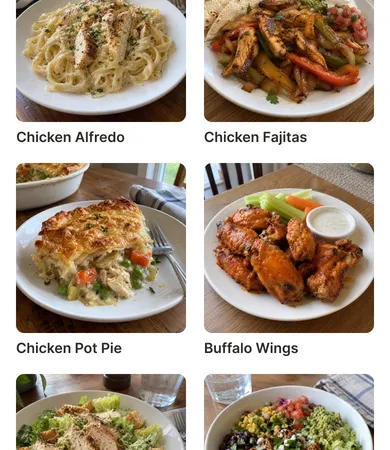
Tags are whatever you want
Ingredients like "chicken" and "cabbage", or moods and occasions like "quick", "lunchbox", "comfort food". A recipe can have several tags, so a beef stir-fry tagged “beef” and “cabbage” shows up under either.
Tags are shared in your group. Tags your partner made are yours to use too.
Suggestions come from your own tags
When you create or edit a recipe, Recipick compares the name and notes with the tags your group has made and suggests the ones that fit. Type "Beef and cabbage stir-fry" and "beef" and "cabbage" come up. Suggestions show up in about half a second. Just remove any that don't fit.
Note: suggestions only come from tags your group created. No unfamiliar tags appear on their own.
Ask “what do you want?” with a tag
The idea is that whoever cooks can say “we've got cabbage, pick something from the cabbage tag.” The other person opens the tag and picks. “Anything's fine” stops being an answer. About sharing with your group
Search by name or tag
As the list grows, search by recipe name or tag, or browse the tag list, whichever is quicker.
Tags on the free plan
The free plan includes up to 10 tags. Once ingredients and moods start piling up, Premium removes the limit. See pricing

Tonight's dish,
from what's in the fridge.
Recipick is free to download.