Deciding dinner isn't only
the cook's job.
Recipick is built around groups: you and your partner, or your family, share one recipe book. Invite someone and they see every recipe and tag. The one who doesn't cook can join in choosing, so “what do you want?” becomes a conversation.


iOS / Android · Free to start
One recipe book for the group
Everyone in the group sees the same recipes and tags. What your partner saved shows up in your list too, so “what was that thing we made last week?” stops being a question. Either of you can add recipes.
There are plenty of recipe managers, but few are designed for sharing. When one person keeps the list, meal planning lands on whoever cooks. Recipick is built to share that load.
Inviting is simple
Send the group's invite link in a message. When the other person opens it, they join your group in the app. How to invite
One group per person
Each person belongs to one group, so you build a single recipe book together, as a couple or as a family. To pass a recipe to someone outside the group, use a share link.
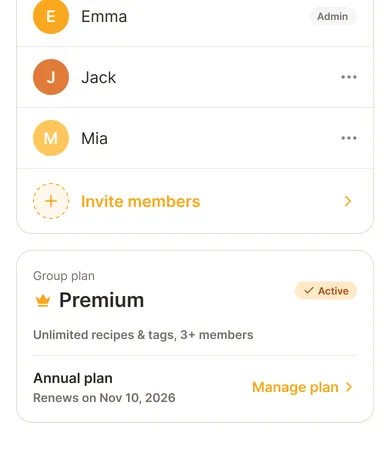
One subscription covers everyone
The free plan allows two members. For three or more, or to remove the recipe and tag limits, go Premium. When the group admin subscribes, every member gets Premium. Nobody else needs to pay. See pricing

Start your shared
recipe book today.
Recipick is free to download.